

Adding Cards to Your Mobile Wallet
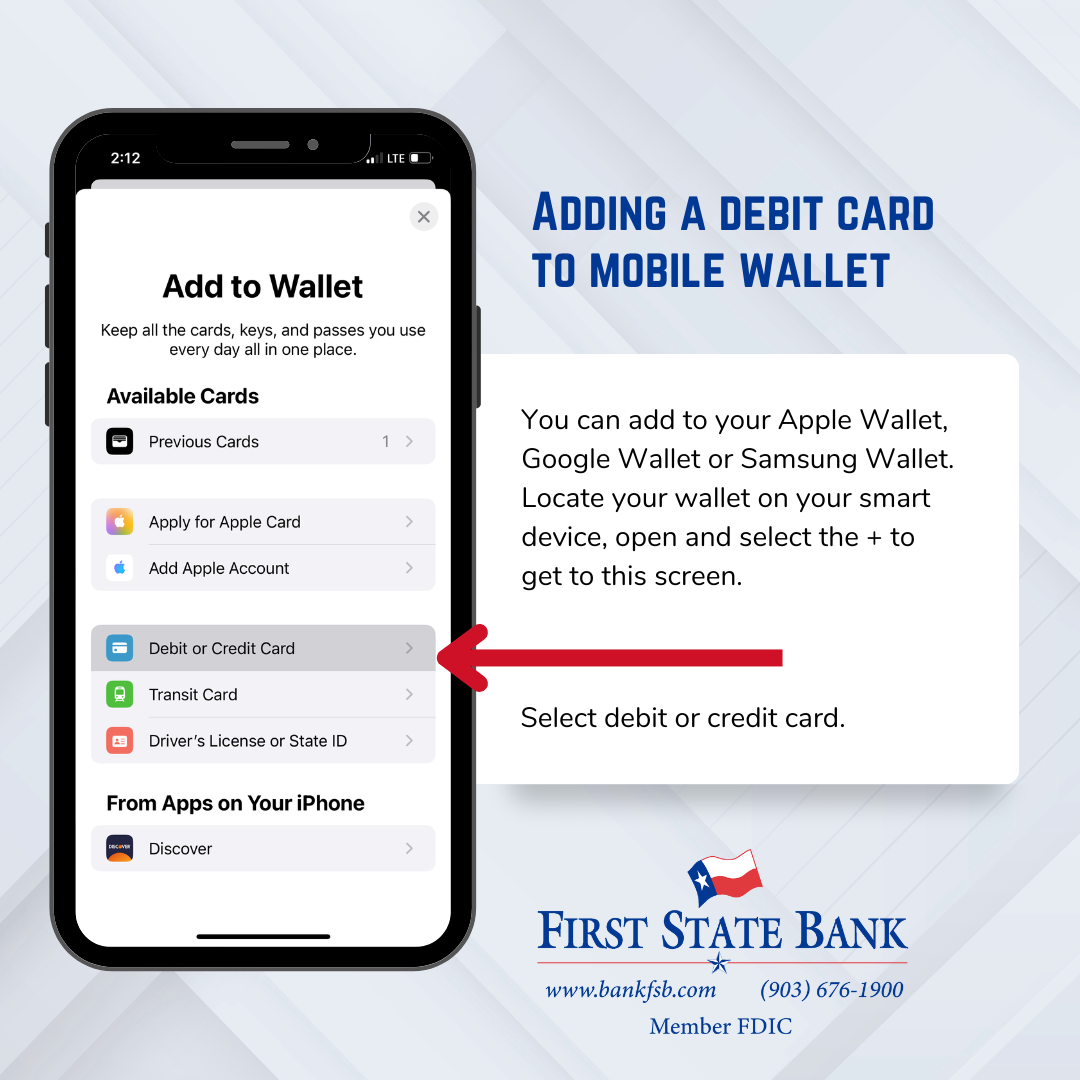
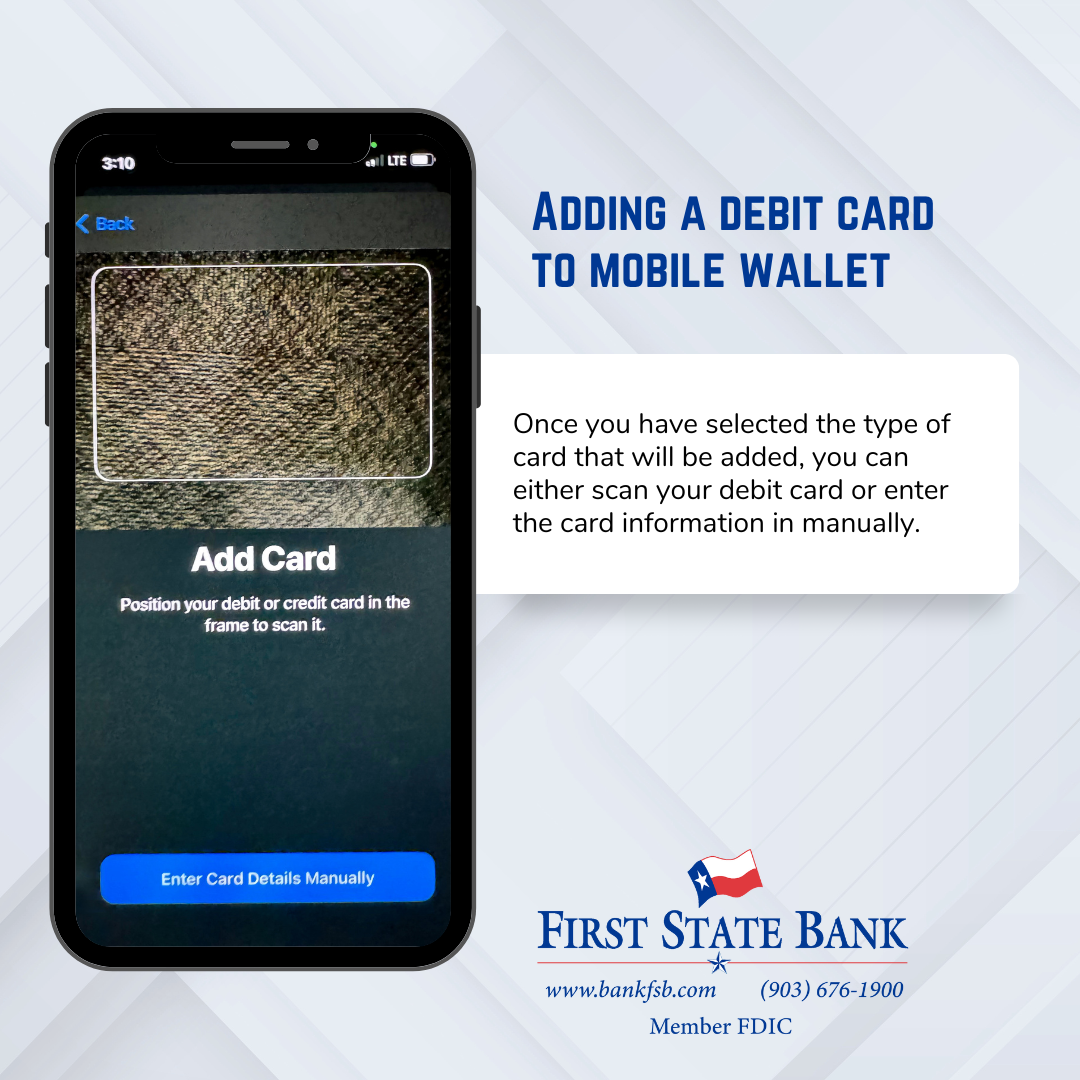
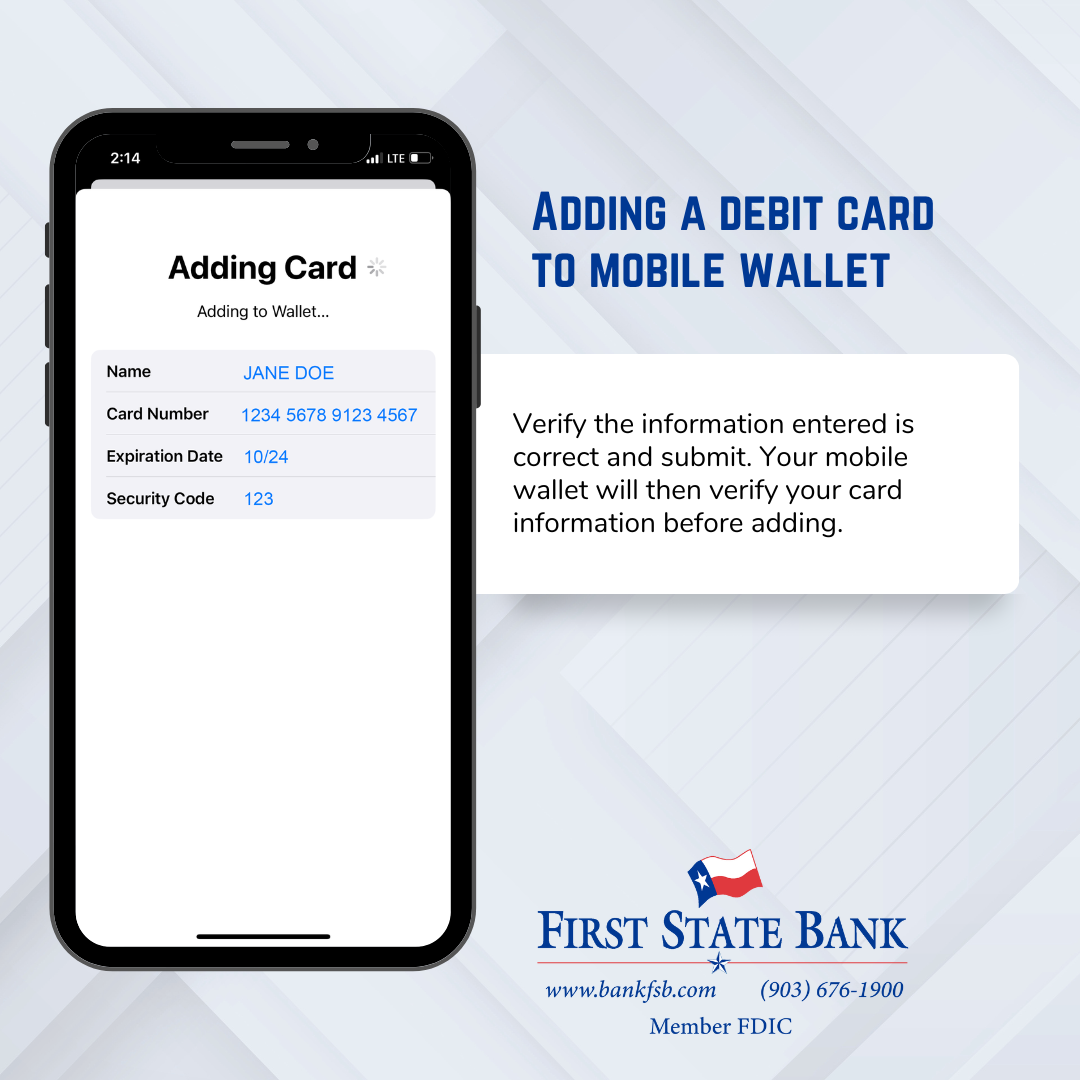
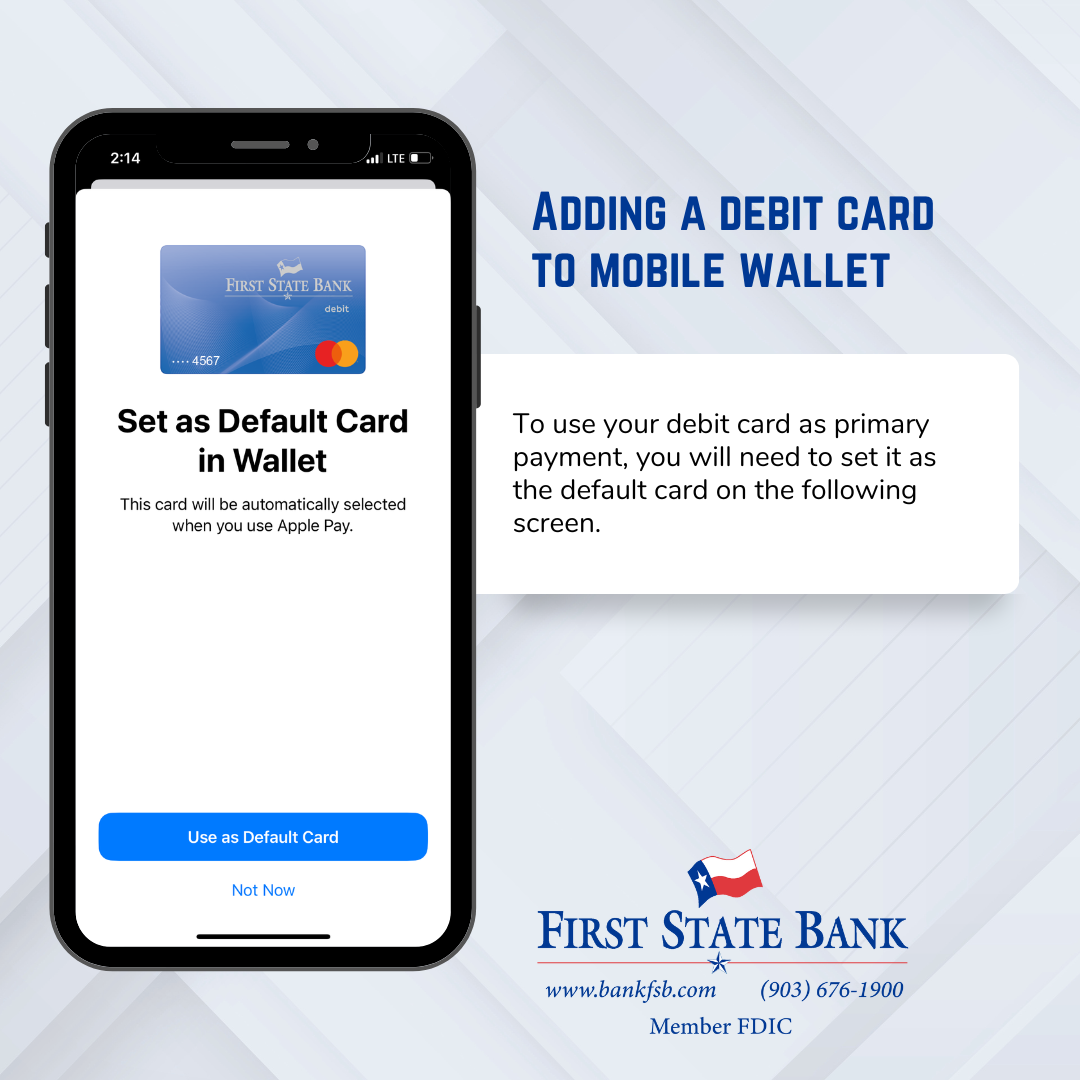
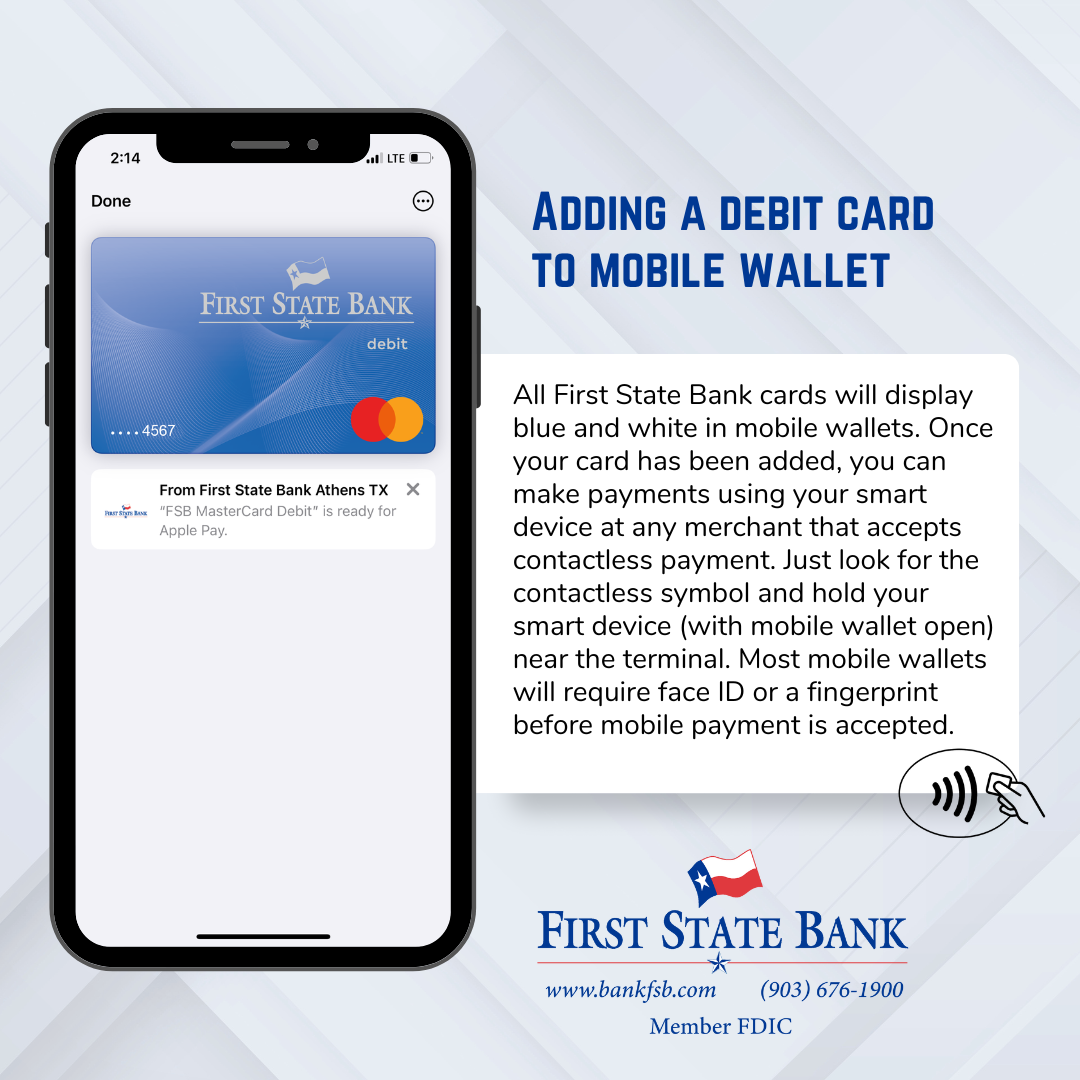
Experience the convenience of adding debit cards to your mobile wallet for seamless transactions on the go.
- Advanced encryption and authentication methods protect your financial information.
- Payments can be made quick and easily without the need for cash or cards.
Using your mobile wallet for payments is more secure than using your physical card. When you make payments through Apple Pay, Samsung Pay, or Google Pay, tokenization is used to process the transaction. This process enhances security by replacing sensitive information, like credit or debit card numbers, with unique, non-reversible tokens. Ask a Customer Service Representative for a demonstration!
We'd Love to Help

For questions and additional information on any of our products, please contact one of our E-Commerce Representatives at (903) 676-1900.